

How to Make Your Startup Website in Less Than 10 Hours
You have your business, you have your team and have your product or service, but what you don’t have is a lot of time. That’s why building a website can be a big deal to a lot of startups and growing businesses. If you don’t know what you’re doing, it can go horribly wrong. The right website will be an asset to your sales and the seriousness with which VCs will consider your company. By designing a sleek, user-friendly website, you can leverage a great user experience to convert visitors into customers, investors and brand evangelists.
On the other hand, having a website with a clunky or confusing design will have visitors running away and VCs putting away their checkbooks. Standards for what a website "should" look like will vary by industry, as will the functional components of the web page, but the last place that your website "should" be, is a mile behind a direct competitor. You want a website that entices interest in your company and your product, not one that provides users with a memorably frustrating experience.
Basically, trying to launch your startup without the right website is like trying to run a marathon in a pair of worn out sneakers...and then going directly into to a job interview. Maybe technically possible to pull off, but definitely not likely.
It's important to have a functional, appealing website, but it is far from impossible to create one. You need a website that investors, clients and customers love. To achieve this, all you need to do is read this article and then devote some time to building a website that will complement your company.
So what if you’re not a master designer or a black belt in engineering? These days, all you need is a general idea and you quickly put together a beautiful website that will have everyone throwing wads of cash at your business. The key thing here is to not get overwhelmed. Your startup website may seem like a big deal, but getting something created and live in under 10 hours is entirely possible.
I recommend using Wordpress as your CMS, and will be showing you how to get a website up in 6 hours by using Wordpress.
How to Design a Website In Under 10 Hours
No Design Experience Needed
Step 1: Evaluate Competitors
The first step is an easy one. Start by looking at your top 5 competitors. See how their websites look, and determine what you like and dislike.Things to look for:
What is their key messaging?
What kind of imagery do they use?
What do you think could be improved?
Have you answered all of those questions? Congratulations you’re now an unofficial website critic. Use this information to determine what your website needs in order to both keep-up-with and stand-out-from the competition.
Estimated Time to complete: 45 minutes
Step 2: Initial Website Design Specifications
If your just read this headline and want argue with me or click away, don't do it! Well, we can still argue about it, but hear me out first.
The primary reason why web design projects fail or take longer than needed is because business owners are convinced they need a page for everything. The problem with creating several pages is that it creates a cluster**** to navigate and visitors can drop out before they reach the end of your conversion funnel. I always try to consolidate as many pages as I can initially, and then, as it makes sense, build pages out after the initial launch is complete.
However, if you’re trying to get a functional website live for your startup, there’s three key components that you need, and everything else can be built in later or tossed aside.
1) A Home Page
2) A Form
3) A Blog
What this format lets you do is build a website with the right functionality, as quickly as possible. As a startup or growing business, you need to move and move fast. Getting something that is functional as soon as possible is a must for any fledgling company, especially one that will depend on VC interest.
What I always recommend in these situations is to get a long home page, a form integrated (to collect leads), and a blog (to build traffic). Now some businesses will differ, in that they need a pricing page with checkout functionality, and this will affect your decision making process in the next steps.
Questions You Should Ask Yourself
What messaging is required to display the benefits of your product or service?
How many features do you want to highlight?
What are the key benefits you want to highlight?
What what information do visitors need in order to make a purchasing decision or inquiry?
What imagery is necessary to convey my product or service?
Do I need pricing and checkout pages?
During this phase you’ll want to look at website like Onepagelove.com (https://onepagelove.com/).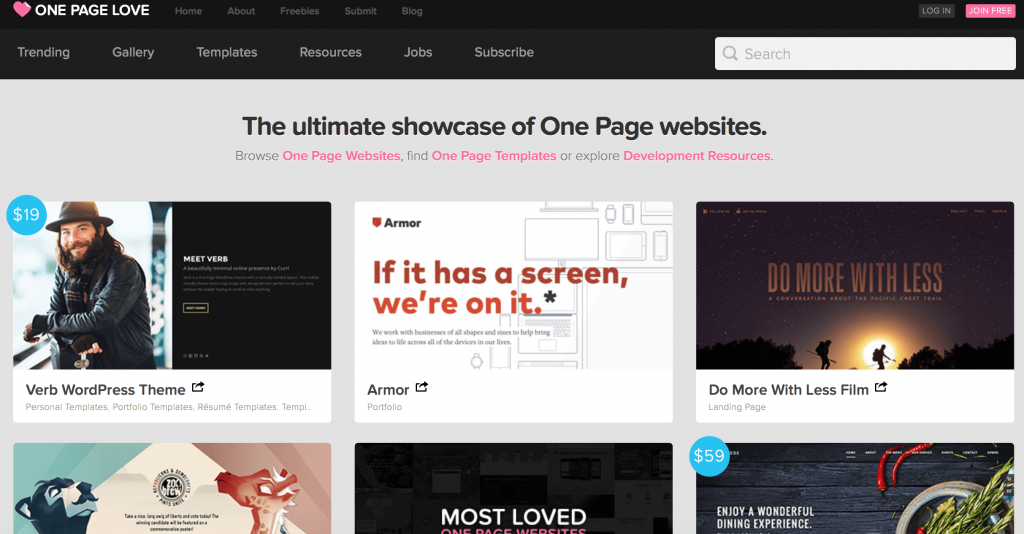
They provide great one page templates, and also google "Best Website Templates for Startups". This will provide a number of top 50 lists of templates that may be a good fit for what you need.
As you go through these templates, visualize where you would place your features, benefits, customer testimonials (if you have them), and any other information you had in mind. Typically, this is the information that you need to convert a visitor.
1) Features - What your product or service does.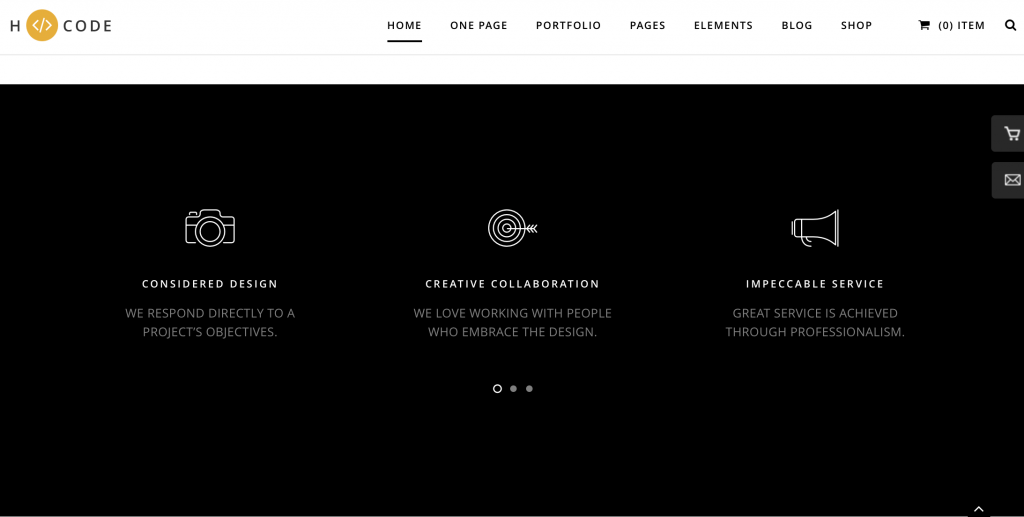
2) Benefits - The pain points that your product solves.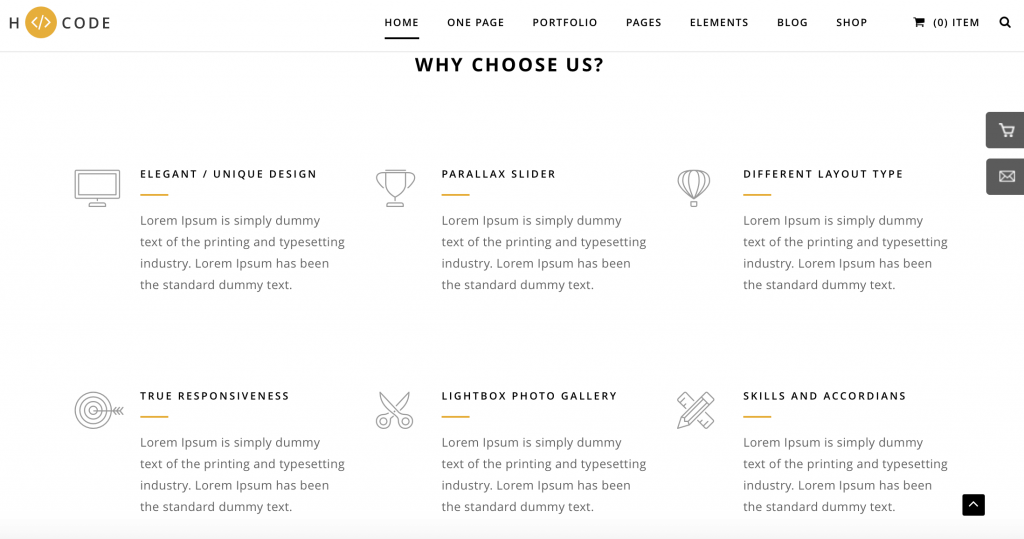
3) Images - Screenshots or images that convey the value of your product.
4) Testimonials - Customer testimonials to validate your product (if you have them).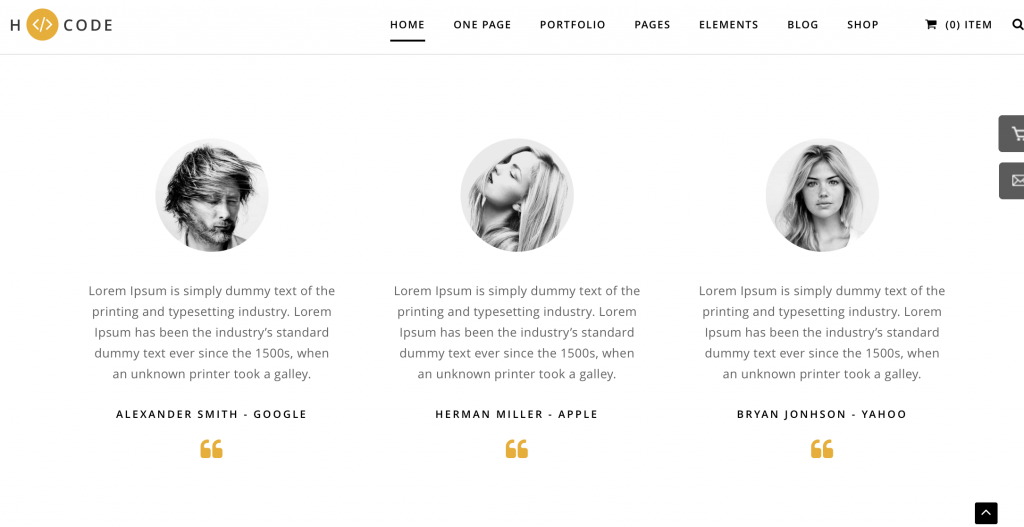
5) Form - To convert visitors to leads.
6) About - Who you are, what your company does.
7) Pricing - How much your product/service costs, if applicable.
Keep in mind that no template will be exactly what you want. You’re looking for the best fit website in terms of making it easy to add your content to the template. This will also help you determine which features and benefits you think are the most important, as you’ll quickly find out that you’re going to have to sacrifice some to make the template work.
Once you’ve picked out a template that will be able to house all the information you need, then go ahead and buy it. Make sure that the website is responsive and that it comes with Wordpress templates, and demo content.
Estimated time to complete: 3 hours
Cost: $50-200 (depending on template)
Step 3: Implementing Your Template
Have you bought your domain name already? Your domain name is your website address. So, www.myawesomewebsite.com, would be your domain name. If not, then go to GoDaddy.com and purchase your domain name.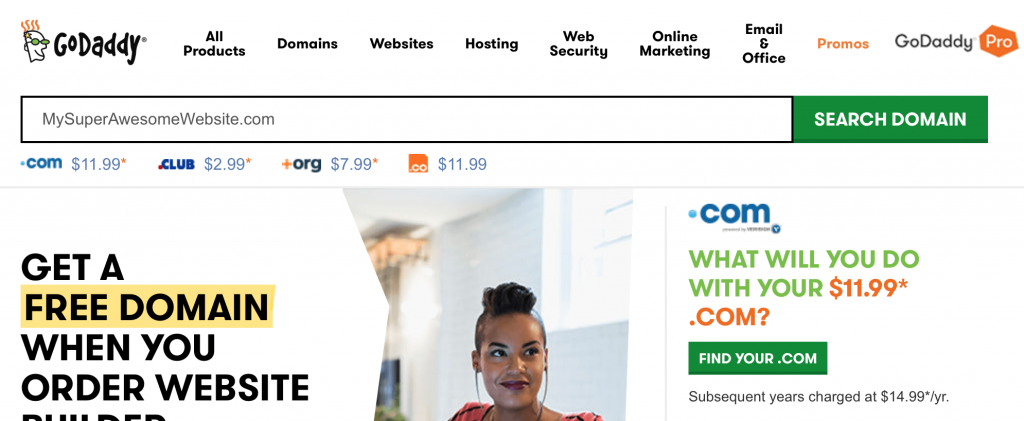
Next, you’ll want to add Wordpress to your new domain name. This is as simple as clicking install from the GoDaddy Admin. You can see a step-by-step guide from GoDaddy here.
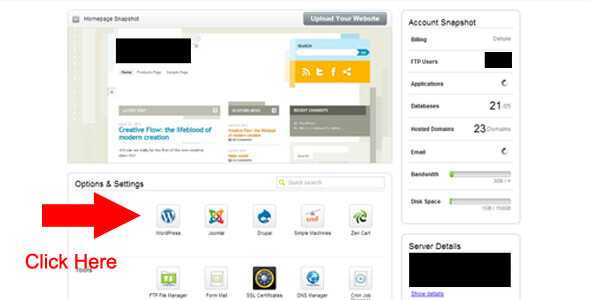
Once you’ve installed Wordpress to your GoDaddy account, you’ll be given a Wordpress Admin Login. You’ll want to login and go to "Appearance > Themes > Install Themes." Here you’re going to upload the zip file from your newly purchased Wordpress template.
Next, you’ll want to make sure you upload the Demo Content that comes with your theme. This ensures that what you saw when you were previewing the theme is automatically loaded onto your domain.
Estimated Time: 30-40 minutes
Step 4: Set Your Homepage
Quickly set your homepage by selecting "Customize" and setting a static homepage. Choose whatever page from the drop down that you’d like to be your homepage.Estimated time: 2 minutes (depending on internet connection).
Step 5: Replace all Content And Images
Now that you have your template loaded and the homepage selected, go in and begin editing the content. Because you've gathered the images, testimonials and other collateral that you need, adding in your content is as simple as find and replace. For each area with demo content, begin replacing this content with your company's words and images.To make this go as smoothly as possible, make sure that your images are the same size as the images that you will be replacing. If you have pricing pages and checkout pages, there’s going to be a little more work for you to do, but nothing should be taking you by surprise at this point.
Estimated time: 2-4 hours
Step 6: Plugins
To maximize your ability to build traffic, I recommend adding in the Yoast SEO plugin. I’ve always found that it’s the most effective and easiest to use. Also, some checkout processes will require you to install plugins, and integrations with CRMs may require them as well.Step 7: What’s next?
So, you built your website in about 6 hours. I bet you’re proud right? Well, don’t get too excited because the fun doesn’t stop now. It’s time to think of the next steps in your overall marketing plan.Think of your website as an iterative process, and spending these hours putting it together isn’t the end. You’ve just opened up yourself a can of worms, as the greatest benefits to the success of your website will come through painstakingly testing your website's content and copy. You’ll want to evaluate the success of your website using different messaging on the homepage through A|B tests (you can use tools like Optimizely to do this). You'll also evaluate the need for sub pages containing various features or resources, and leveraging your online traffic to reach marketing and sales goals.
Why your blog matters.
Besides A/B testing your website, one of the major next steps in creating a successful website is managing a successful blog. To some a blog may seem unnecessary, but it’s critical in getting your content strategy together. Even if you're just blogging a few times a month, this helps you to increase the amount of visitors to your website, and help build it’s online presence for the long haul.
Your blog will also be where interested investors, potential customers and even potential employees will go in order to learn some more about your company. By discussing the latest industry trends on your blog as well as company initiatives, your company will be visible as disruptive, viable and in-touch with the latest trends in your industry.
By following the steps in this article, you can turn an otherwise uneventful afternoon into a new company website. Though simply creating the website is half the battle, having an attractive, functional and reliable website will have a great number of positive benefits on your company. Through continuous evaluation of your company's needs and how your website is helping to meet those needs, your startup will be able to conduct business, engage with customers and attract the right sort of attention from investors.


Writing a Good Job Description for your Startup Business
Writing a job description to fill a role at your startup may seem easy enough — copy, cut and paste someone else’s job description. But these days it takes a little more than that. In a candidate-driven market, which is fancy speak meaning candidates pretty much choose from multiple offers, it becomes less about lists of qualifications and more about advertising your company and brand. As a startup business, whether you’re in software, services, or whatever, you’re going to be battling against the likes of Apple, Google, Facebook and the flavor of the month. It’s not easy to compete against those brand names, especially if you’re providing a software product in a highly specialized niche. Most candidates want to work for the big boys, not go up against them. Which is why showing off your brand and personality is more important than ever.
Tips for Writing a Good Job Description
As I mentioned before, several startups see the way that larger businesses write their job descriptions and think that copying is the way to go. Granted, some companies like Apple and Disney do an awesome job with theirs, but other industry players go the traditional route. This is not what you want to do.Recently, we were in the process of hiring, and despite knowing better we copied and pasted a generic job description for the sake of saving ourselves a half hour. LOL. This did’t work out too well for us. Within 14 days we had a total of about 6 applicants, each one worse than the one before. And statistically speaking, within 14 days is when you should see your highest candidate flow, after that there’s significant drop off. If you think of it in terms of marketing, job descriptions are similar to pay-per-click ads and SEO rankings (you’ll find us tie several things back to marketing). Just like with SEO and PPC ads you’ll find drop off rates get significant as your ranking diminishes, which is why there are tricks to optimizing your job description to increase the length of time you spend at the top.
Tips for writing better job descriptions
- Use a clear descriptive job title (none of that Sales Ninja-Starfighter-Bandit-Rockstar crap). You choose a title based on keywords that will be searched. If somebody is looking for a job as a “Sales Manager”, then they’re going to search that, not "10th Degree Sales Zen Master of Closing”
- Use your title and associated keywords in the copy. This is as simple as restating the Job Title in your job description, as well as a couple other keywords. If you’re looking for a “Sales Manager”, you may also want to include a couple instances of “inbound sales” or “outbound sales” in the job description to increase your relevancy for those keywords.
- This is the most important tip that I have. Focus on your employer branding and company messaging, and not on the roles and qualifications. Most businesses will write a job description with a 1000 words for the qualifications and role, but only use 100 words to describe the company and leverage their brand. I’ll expand on the importance of this.
Focus on Your brand not on the roles/qualifications of your job description
Unless you’re fresh on the job market, you should know what your job is. If somebody puts out a position for a VP of Sales, then you should be able to sum up the qualifications in a few bullet points just to weed out unfit candidates. And if I were a candidate for a VP of Sales role, then I should know what my position entails. Back to my point. We ran an impromptu experiment for our job description, the first of which brought in 6 candidates. Here’s our initial job description.
Sales Manager
We currently have an opportunity available for a Sales Manager at our digital marketing agency.
As our Sales Manager, you will manage leads and be responsible for customer service and satisfaction, prospecting, product knowledge, sales presentations, closing business, determining pricing and terms, paperwork, and sales guideline interpretation.
Responsibilities of a Sales Manager include:
Coach and mentor future sales associates to manage leads and train the team on customer service and satisfaction, prospecting, product knowledge, sales presentations, closing skills, product/service pricing, terms, paperwork, and interpreting sales guidelines
- Manage Sales Professionals, including motivating Sales Teams to become highly productive in a professional environment.
- Recruit, hire, train, and motivate Sales team.
- Provide Sales team with proper training regarding sales techniques, legal requirements, and company products, policies, and procedures.
- Review and evaluate sales performance.
- Conduct weekly sales meetings, projections and targets.
- Ensure that location sales quotas are achieved and promote sales activities.
- Ensure all contracts and paperwork is completed and returned accurately and in a timely manner.
- Conduct online demonstrations and leverage web-based tools to convert leads to customers.
- Provide input regarding property and merchandise selection and pricing by interacting with families.
- Be an advocate of Company initiatives.
- Handle personnel issues concerning the Sales Team.
- Foster and maintain a positive working environment.
- Develop positive relationships with startups and mid sized software and service businesses.
- Ability to motivate individuals with excellent communication skills, incredible relationship-building abilities, and a natural talent to lead.
- Minimum of 3-5 years of Sales Management experience preferred.
- Prior Sales experience required in a related or similar industry.
- Basic computer and technology skills required.
- Proficiency with Microsoft Office applications.
- Excellent understanding of the selling process.
- Time management and organizational skills.
- Proven Sales Team leadership in a quota-driven environment.
- Outstanding verbal and written communication skills.
- Ability to work in a team environment.
- Creative and detail-oriented
Notice how boring that is? Reading that again makes me want to slowly remove my eyeballs with a spoon. Yeesh. Since we didn’t get any candidates we thought were a good fit, we rewrote the job description. Naturally, we focused more on our brand, using language that we would use, and relaunched. Here’s an example of what we wrote.
Sales Manager
Do You Have the Right Stuff?We’re a highly focused digital marketing agency that works with several game-changing startups and larger more established and boring big businesses (just kidding! we love them too!!!). Our clients expect us to think outside the box and provide solutions that help break revenue and traffic targets, and that’s what we expect from you. We’re Digital Astronauts, pioneers of the marketing frontier, and we’re looking for a Sales Manager who’s eager to learn about several businesses and industries, and run our sales like it’s your very own Millennium Falcon.
You’ll be willing to flip, turn, spin, and even go through wormholes to close deals. We don’t give up and we don’t set boundaries for you, this is your starship and we’ll let you navigate. Your reward? Besides a healthy compensation package, you’ll be able to work remotely, and partake in Chimichanga tuesdays (we literally mail you a package of chimichangas every week. Yes, this is a real thing.).
What You’ll Do As Our Sales Manager
Sell the shit out of our services. Duh.
Qualifications for our Sales Manager
- Minimum 3 years sales experience.
- Understanding of Sales cycle from lead to close.
- Successful track record in selling things.
- Must be fan of Star Wars.
Obviously these two job descriptions are completely different from one another, and the difference in performance was amazing. The first job description gave us 6 candidates, and this one landed us a whopping 35 qualified candidates. The best part was hearing each candidates responses to our job opening and how they tailored cover letters to include Star Wars related humor and references towards chimichangas.
To cut through all the noise out there from generic job descriptions, you have to show a little personality, and the best way to find candidates that are a cultural fit for your business is to show off what makes you unique. Even if it is something as ridiculous as Chimichanga Tuesdays, or your company is composed of nerds. We may not be able to compete with the perks that Netflix or Google offer, but your startup is special and it’s key for you to write your job description in a way that lets candidates know it is too.

How To Get Away With Marketing — Growth Hacking Tips
Get your wine glasses and popcorn ready—we’re kicking off #TGIT Digital Astronauts style! Thanks to Shonda Rhimes, we’ve all learned how to manage a White House scandal and tie up loose ends in a murder investigation. But for us common folk—who aren’t involved in a steamy affair with the President or an exclusive member of the Keating Kult—there’s not much we can apply to our daily lives. Lucky for business owners, we have the secret sauce to channel your power plays and gain leverage over your competition, without using any feminine wiles. So move over Annalise, we’re about to show you how to get away with marketing.
How does one get away with marketing—you ask? Well, there are a few sneaky tactics you can employ to elevate your marketing game from basic to ninja. We all know about the standard mix-up of email marketing, pay per click advertising, and SEO, but here are some untraditional growth hacking techniques that game-changing businesses have used to go from 0-100 real quick. And don’t worry, they're completely legal.

Run a pre launch give away
Pre-launch give aways can range from blah to amazing. Oftentimes you’ll see brands take a cookie cutter approach and offer a free iPad, or something that doesn’t quite speak to their target market. To truly reap the rewards of a pre-launch give away, you have to do something memorable. At first glance, you may think of a give away as a just a brand building exercise, but it can be so much more. Every person that signs up for your give away is now a lead and potential customer.
Take Qwertee for example. Qwertee sells one of a kind, quirky t-shirts, and their growth hacking trick involved a Pre-Launch giveaway. They ran a contest on Facebook with grand prize winners winning 30 free T-shirts of their choice! This built them a fan base of over 297k on Facebook. With this sneaky growth hacking strategy they hit everything right on the money, and now have a huge audience of motivated fans, turned customers.
Track Pre Launch Visitors for Social Retargeting
What’s sneakier than just leveraging a Pre-Launch Give Away to growth hack your way to 300k clamoring fans? Taking the data from everyone that visited your page including the ones that didn’t signup for your give away, and creating ads to follow them around various social media platforms.
Here’s how you can set this up on Facebook:
1. Navigate to the “Audience” section of the advertising tab.
2. “Create Audience” on the top right.
3. Select “Custom Audience"
4. Select “Website Visitors”.
5. Enter your domain name, leave the rest of the fields the same and change “In the last x days” to 180 days.
6. “Create Audience” and place the tracking code in between thesection of your website.
Create A Viral Sign Up Form
This is one of my personal favorite strategies. The concept sounds simple—you create signup form that features an incentive that grows for each friend you refer. The outcome is exponential growth in terms of your marketing list.
A great example of this is Shop It To Me. I remember when a friend of mine signed up for this and referred me. It was marketed as a “personal invitation from [friend x]” and a reserved spot in Shop It To Me’s program. Once you completed the signup process, you were prompted to share the Shop It To Me program with a friend, and get a $25 gift card to Nordstrom. Needless to say, Shop It To Me now has over 80k fans on Facebook and a marketing list in the Hundreds of thousands range (at least!).
Offer Incentives To Users Who Hit Milestones
You’ve heard the saying: 20% of your customers are responsible for 80% of your revenue (and vice versa). It’s a proven fact that repeating customers are more valuable to a business than one-timers. Create a loyalty program that incentivizes your customers to stick with your brand and reward them for reaching certain milestones.
One that’s done a great job of earning more of my business is the Sephora Beauty Insider program. They have a 3-tier rewards membership program that unlocks certain benefits depending on your spending level. The more you spend, the higher your status in the community, and the more “exclusive” benefits you get.
Hashtag Hijacking
As a growing business, you’ll get sales pitches from various events in your industry asking you to pay thousands to either attend or set up a stand. When it’s all said and done, you’ve lost a bunch of money for little to no return. A sneaky way to get away with marketing at these events, is not showing up at all, but rather utilizing twitter advertising around event hashtags.
Here’s how you can set these up:
1. Go to the “Twitter Advertising” section of your Twitter account.
2. “Create New Campaign” and select website clicks and conversions.
3. Set up your ad to go to a landing page on your site.
4. Add the event hashtag in your targeting section within the “keywords” sections.
5. Set your budget to run before, during and after the event.
This lets you have the power to be the talk of events without ever stepping foot on the exhibition floor.
So now that you have the tools you need to get away with marketing—sit back, relax, and enjoy #TGIT!

What Zombies Can Teach Us About Marketing
I’m not sure what it is, but I’ve always had a fascination with Zombies. Maybe it was because I remember watching “Night of the Living Dead” when I was around 6 years old, or maybe I’m just always preparing myself for the inevitable zombie apocalypse, but I always find myself comparing various things to zombies, or assessing how I would survive in a given location. But I just happened to have a brilliant idea. As a marketer, what lessons can I learn from zombies? So I went straight to the tape, marathoning through seasons of “The Walking Dead” and watching all the classics.
What Zombies Can Teach Us About Marketing
1. SLOW AND STEADY
Let’s be real, zombies are slow. Very slow. As a result the living are able to easily walk away from them. While this may appear as a glaring weakness, it is actually a genius tactic employed by the walkers. You see, zombies are determined to get your brains, and it doesn’t matter if they have to walk after you for minutes or days, they’re prepared for the long haul. And eventually, you will get tired, you will need to sleep, you’ll need to stop… and NOM! The zombie will get you!
As a marketer what can we learn from this? For starters, the value of the slow play. In certain situations you may think that pushing for a hard sell over and over will increase your business, but often times going in the other direction can yield better results. Rather than being “pushy” with your leads, try playing it slow and creep up on your prey. Nurture them with thought leadership and interesting content. Make them think they’re safe, and then sooner or later they’ll convert into a paying customer. They can only run away from you for so long. Below you can view a good 10 step example of drip marketing campaign provided by SimplyCast.
Using a slow nurture strategy like the one above, you can see how the campaign pushes the prospect to sign up for a yearly subscription by engaging and providing value along the way.
2. MANY ARE GREATER THAN ONE
So a single zombie may not strike fear into your heart immediately. Maybe you don’t realize that inevitably it will catch you, but you know what will strike fear deep into your heart? A whole swarm of zombies. You might be able to survive running from one, but when you’re surrounded and getting chomped at from every angle the result is inevitable. The same goes for marketing. If you just chase after your prospects through marketing blasts, they have a higher likelihood of being able to avoid you. But if you market like a zombie, you swarm your leads form every direction.
By running multi-channel marketing campaigns you attack your leads by email, social media, retargeting, Paid ads, and even profile them so you can create organic content that meets their needs. The result will be an increased probability that you’ll engage and close your prospects.
An example of this would be TopShop’s “Wish You Were At TopShop” campaign where they combined the retail floor with Instagram and Facebook. TopShop provided in-store shoppers with free style and make-up sessions, and then asked to create digital postcards through Instagram, and then upload the photos to Facebook.
The campaign resulted in increased foot traffic, mass coverage through over 640 blogs, increased presence and exposure of their Facebook page and thousands of images leveraged on Instagram. For their target demographic, they were able to create a completely immersive experience that surrounded prospective customers through every channel that they frequented.
3. USE THE ELEMENT OF SURPRISE
The most jump worthy scenes in any zombie flick are the ones where the zombie surprises the unsuspecting victim from the shadows, behind a door, under a sheet, or wherever. The element of surprise is one of the best tactics in the arsenal of the living dead, and even according the Harvard Business Review is also valuable for marketers.
Surprise and Delight has become a popular marketing strategy, especially with the rise in social media. In this strategy, companies “randomly" select an individual or group to receive a gift or experience. The elements needed to create a Surprise and Delight marketing campaign are simple: authenticity, not too cheesy, and wow factor. This type of campaign enables brands to spread their message by word of mouth or social discussion, shows a genuine care for customers, and of course a new and exciting experience.
With Christmas only a couple months ago, I’d like for us to remember this Surprise and Delight campaign by WestJet.
On Christmas Eve, WestJet selected a random flight and rewarded customers with gifts that ranged from Android tablets to big screen TVs. The video by WestJet shows Santa (or someone impersonating Santa Claus) ask passengers what they want for Christmas, and WestJet volunteers purchased the gifts, wrapped them and had them waiting for the passengers when they landed. The result was one of the most awesome viral marketing campaigns that surprised and delighted.
Market Like a Zombie
Whether you’re creeping, swarming, or surprising, using best practices in zombie-ness you can better engage your customers, expand your reach, and even close more business. So next time you’re watching “The Walking Dead” and you see a zombie, don’t just think of a brainless walker, consider that these are creatures that are pioneering modern day marketing practices. Take a second to observe these zombies because they may be the key to your next marketing campaign.
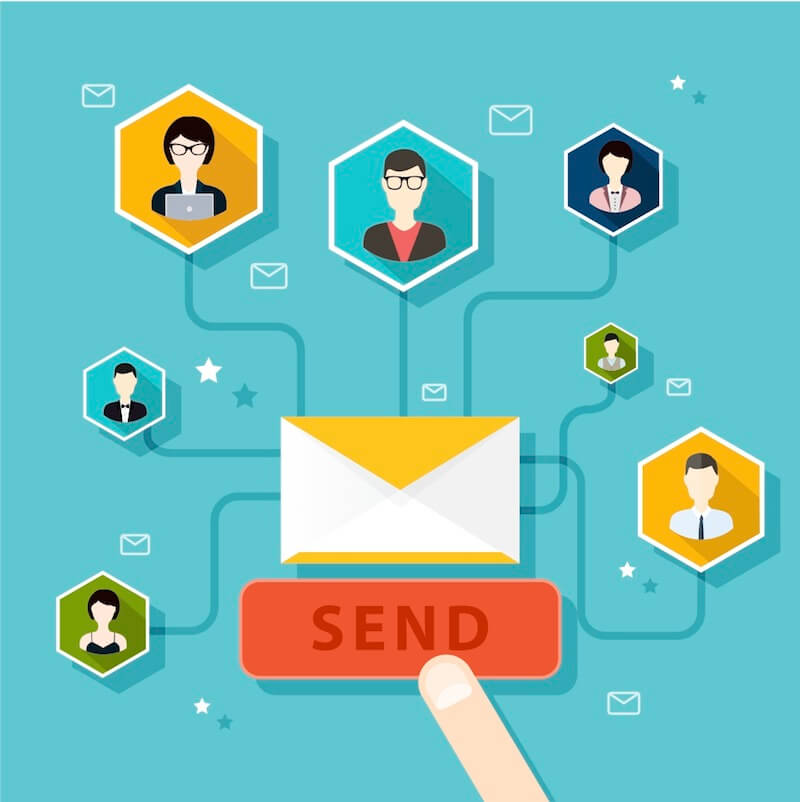
Email Marketing Part 2: Nurturing Campaigns
Great things take time. Email marketing campaigns are no exception. Successful transitions from marketing to sales involve giving your leads some TLC.
Easier said than done. Let’s break it down.
Nurturing Your Leads: It’s All About Perspective
We discussed leads in last week’s blog, and these are what you will be working with carefully from this point forward. Not all leads are created equal, but all have equal potential. Overestimating or discrediting leads based on assumptions is dangerous. For small businesses, lead generation can be a daunting task, and after finally accumulating a hefty list of leads, it may be tempting to jump to conclusions, either rushing the sales process or dismissing some leads as unworthy. Expert reports reveal that 65% of business-to-business marketers have not established nurturing campaign strategies, and this tendency towards presumption is probably why.
Leads that may seem cold at first could heat up in 3 to 6 months time with carefully catered strategies. None should be tossed aside; instead, view each one as a seed of intrinsic value that you can nurture to sprout into a sales-ready lead. There is no set limit to the sales potential of your existing contact list, regardless of any assumptions you may have. If you take the time to build relationships, you could convert even the most distant lead to a loyal client. Yes, this may seem like a frustrating waste of time in some cases, but overcoming this assumption could be what sets you apart from the other businesses cluttering this contact’s inbox. Within each lead lies potential value for your business, and to access this value you must tread patiently, because who would follow a total stranger?
Segmenting Your Email Marketing Campaign
Blasting the same general message to everyone on your list will not make them feel comfortable with you. It will just alienate you as a faceless, soulless predator that has no concern for the well-being of its clients. Studies show that more than 70% of leads are not sales-ready. How do you make someone you barely know feel special? Start by considering the small amount you do know about them, and identifying their differences. These variations could be in industry, target market, specific needs, or any significant history of their business. How did they sign up? Have they taken any actions since they opted in? Even a lack of action tells you something unique about this lead. This information lays the foundation for your segmented campaigns.
With segmented groups, even if the basic content of your emails are the same, the framework of each segment’s emails can be personalized with slight modifications to subject lines and introductions.
This way, you can effectively show your array of leads that you care about their individual needs.
To consistently nurture your leads, you will need a stable backlog of content to draw from regularly--be it once a month, twice a month, once a week--again, these frequencies depend on the nature of your business and the stage of each B2B relationship. But what if you want to get started now? How are you supposed to bust out an old library of valuable content so fast? Never fear, there are plenty of ways to repurpose existing content while you work on building new material.
Quality content can be found in many places easily, such as:
- customer reviews, test group findings, successful reports
- updates and news about your company
- special offers, giveaways, promotions
- social media influencers’ posts
- others’ publications on why your product or service is necessary for success
- others’ relevant podcasts, articles and videos that your audience will find useful
Nurture Leads By Repurposing Existing Content
- divide any existing publications (such as whitepapers) into many smaller sections of content, and send these sections individually in separate emails
- record live events and use the videos as content
- transcribe events into written content for blog posts
- respond to online influencers
- summarize other relevant blog posts and link back to them
- create infographic representations of existing content
Further down the road, monitor your leads’ behaviors, including open rates, click-throughs, and whitepaper and webinar downloads.
This steady flow of quality, useful content between “Welcome!” and “Buy Now!” bridges the distance between a cold lead and a relationship of familiarity and trust. If you take time both creating content and distributing it, your nurture campaign will flow naturally.
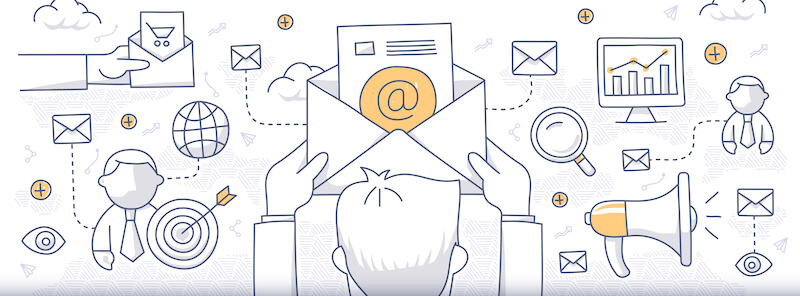
An Introduction to Email Marketing
How Can Your Business Generate Leads?
Understanding Lead Generation vs. Demand Generation
Demand generation involves building awareness, becoming and staying relevant, and fueling the interest that results in a quality lead. This is where online marketing strategies come in to play, and includes all of the interactions that precede a business transaction. There are several ways to begin this process, some more effective than others.Lead generation comes next. For business-to-business marketers, a lead is someone who completes an opt-in form, downloads a company resource, attends a sponsored event or webinar, and so on. These are people who have demonstrated valuable levels of interest in your product or service, and are at various stages of the sales cycle. A substantial quantity of leadss are necessary for accurate analytics of your campaign’s effectiveness. These contacts, if handled with care, can become leads, and eventually even clients or consumers.
Generate Leads with Search Engine Optimization
One study revealed that direct traffic, online referrals and search engines were responsible for 93% of leads. If you follow SEO best practices within the pages of your site, those in need of your product or service are more likely to stumble upon your site.However, simply viewing a page is not the same as closing a deal. This is where effective opt-in methods come in. The prospect is here, now you need their contact information. You can do this via sidebars, pop-ups, or by creating a landing page that is an opt-in form in itself. Here are a few tips on what to include in successful opt-in forms:
- Incentive: What benefits come with signing up? Ensure readers you are not going to send them thirty spammy sales emails each day, but that you have content of substance. Whether it’s in the form of blog posts, whitepapers, webinars, or sales announcements, make it clear that opening your emails will bring relevant satisfaction to the receiver. A friendly way to do this is in question form (Example: “Want more awesome marketing advice?”).
- Simplicity: The less fields required, the better. What do you absolutely need from your contact at step one? Only ask for this, and you can gradually gather more information as your email marketing relationship develops.
- Call to action: This may seem obvious, but make sure that the purpose of your form is clear, and maybe try something that isn’t just “Sign up now!”.
Social Media Lead Generation
Actively promoting your company through LinkedIn, Facebook, Twitter and Google Plus can definitely help direct people to your site--this is a way to reach people who may not have been directly searching for your product or service, but your post caught their attention enough to explore further. Joining industry-specific groups within each of these social networks can help hone in on these people more sharply. LinkedIn is a great bet, as it generates 277% more leads than Facebook and more than 75% of B2B marketers report to have found leads here. While still a viable demand generation source, social media is often more effective in the later stages of email marketing, once you have established credibility and familiarity with your audience. There are some other little details to consider in the demand generation process, and depending on your target audience, a more creative or off-beat strategy may prove successful.Laying the Foundation of Your Email Campaign
Choose an Email Services Provider
Using an email service provider (EMSP) is necessary when sending to a large contact list. This way, you avoid being flagged as spam by your internet service provider (ISP). Read all about the CAN-SPAM Act here. Luckily, there are several EMSP’s to choose from--the top ranked being iContact. Each provider is a bit different, so you can decide which one is best for your business model. With these providers, you have access to templates to design professional emails that can then be sent to the increasingly vast contact list you have generated. It is not necessary to write your own HTML or CSS, but you often still have the option if you want to. Many EMSP’s provide testing options and data that can help you improve your campaigns as you embark on segmentation and nurturing.Congratulations, you’ve generated the demand and have a list of prospects for lead generation. Now comes the hard part: converting them into loyal clients.
Read all about nurturing campaign strategies in next week’s blog!

Social Media Promotion or Social Media Domination?
The Implications of Facebook’s Instant Articles
Instant Articles = Instant Upgrades
An act of benevolence?
It sounds perfect: with Instant Articles, publishers’ content will load up to 10x faster than a mobile web article--no more 8 seconds of that dismal gray loading screen and subsequent abandonment by impatient readers. The articles will look sleeker than ever, as publishers are provided with “the same tools that an app developer has”. There is no need to learn sophisticated techniques, for Facebook has paved the way with simple codes. The same basic formatting of the original news site is used, but simplified to best fit a mobile device. Users can zoom into photos, comment within articles, and instantly watch embedded videos without even clicking. Any revenue from ads within the article goes straight to the publisher, and should the publisher turn to Facebook to manage advertisement through their Audience Network, the publisher receives a whopping 70% of the profits. News organizations are also receiving access to Facebook’s massive audience, so millions of new eyes will be scouring their speedy, shiny stories.
The articles were first proposed last fall as a promotional service. They were then launched on an experimental basis for the iPhone only in June, after partnering with nine large publishing corporations: Buzzfeed, The New York Times, National Geographic, The Atlantic, NBC News, The Guardian, BBC News, Bild, and Spiegel Online. Hearst, CNN and Time Inc. are planning on joining the fun soon. Before agreeing to the partnership, Buzzfeed made certain Facebook cooperated with various conditions, including compatibility with its quiz formats and specific analytic tools. Facebook obligingly agreed. And as for the companies that do not choose to partner with Facebook? Not to worry, no special treatment will be given to Instant Articles in users’ News Feeds. Equality for all.
....Or so it would seem
Fancy features and lightspeed loading times were not designed out of concern for a struggling publishing industry. These improvements were implemented to boost Facebook’s user experience. The company has already found that speed can change everything, as proven by skyrocketing ratings following the 2012 iOS relaunch. Ultimately, this efficiency means that people will not have to leave Facebook to read news, increasing time on the app and decreasing time on other sites. Just how far can they take this? How many tweaks and adjustments will be made to Instant Articles in the name of user experience?
Just think about Zynga, a company that would be nowhere without Facebook, but was also thwarted by its savior in response to cluttered News Feeds, shifts to mobile devices, and user dissatisfaction. While Facebook claims that no special treatment of Instant Articles will be allotted in News Feeds, the faster loading times will mean increased clicks, views and shares, therefore more presence on News Feeds than slower articles built on the increasingly archaic mobile web. This will pressure other publishers to join for fear of losing ground to those participating.
While Facebook’s service does grant access to a massive audience, publishers are slowly relinquishing ownership of their brands in exchange for this--as if Facebook needs any more control over web traffic. One study revealed that 88% of millennials get their news from Facebook, and the company is even surpassing Google in some avenues. Facebook referrals to Buzzfeed articles outnumbered Google’s in 2014. This is not surprising, as Buzzfeed was more or less designed for social media promotion, but it is still a testament to Facebook’s pre-existing prevalence in the information services industry.
Brand Devotion or Social Media Promotion?
Tentative Handshakes
The New York Times relies largely on digital subscriptions, but how long will those last now? The efficiency and accessibility of Instant Articles could lead to an increased preference for brevity, decreasing the number of deep readers and subsequently, digital subscribers. Another major revenue source is, obviously, online advertising. Despite permission to advertise within Instant Articles, many publishers fear that Facebook will become the main destination for news rather than their own sites, so as readers on the main site decline, so will advertisements.
The current publishing partners are not oblivious to the possible dangers of this arrangement. James Bennet, editor-in-chief of The Atlantic, claimed to be particularly cautious about the deal, as it meant allowing another company to control distribution means of his own. Executives of Bloomberg, AOL and Evolve Media also voiced apprehension on the matter.
Initially, the urgency to either join or fall behind makes sense. However, over time, once everyone has joined, the competition will even out once again, except this time it will all be beneath the umbrella of a single company. At this point, the majority of digital news will be dependent on its effect upon user experience. Some skeptics have pointed out that while Facebook may not blatantly censor any content, its algorithms have the power to do so indirectly. Content will have to be regulated as a part of quality control.
At this point, who is to say that Facebook won’t decide to alter its terms? And with a solid foundation of loyal readers and publishers dependent on Instant Articles for the majority of their article views, who would fight back?
A switch to Instant Articles means publishing companies will no longer adhere to the standard procedures of social media marketing rendered obsolete by Facebook.
Lose ownership? Or lose readers? Facebook has presented an ingenious ultimatum that will likely deliver them a monopoly over digital news and mobile browsing in general. Should this occur, freedom of the press will have effectively been caged.

Social Media Marketing: Which Platform Best Fits Your Business?
Online Marketing Strategies Geared Towards Older Folks
With a shift towards mobile devices and increase in professional social media users, online demographic data is different than you may expect.
Let’s Talk Stats: Facebook still reigns as global social network champion, but its demographic is shifting as younger users leave and older users fill the void. The teenage user population has declined 25% in the past three years (roughly 3 million users) while the 55 and up crowd’s presence has grown by 80%. While surveys reveal that women are 10% more likely to use Facebook than men, overall these details are overshadowed by the fact that roughly 90% of social media users are on Facebook. A perk of integrating Facebook into your social media marketing strategy is the opportunity for user interaction via comments with no character restriction.
Long Story Short: Utilize Facebook if your online marketing strategy:
- Targets a broad to global audience
- Is Interactive
- Targets Older Women
Let’s Talk Stats: That well-dressed middle-aged man typing on his smartphone likely isn’t texting--chances are he’s checking his LinkedIn app. Over half of college-educated internet users use LinkedIn and 56% of LinkedIn members are male. The dominant industry of users is Information and Technology and Services. Unlike Facebook, a mere 13% of LinkedIn users are millennials. With 130,000 long-form posts published each week, this is a rather text-heavy site.
Long Story Short: Use LinkedIn as a platform if your business:
- targets people of higher education around the globe
- involves compelling and lengthy posts
- is tech-related, or targets tech-related companies
Google+
Let’s Talk Stats: This business-oriented social network is often overshadowed by LinkedIn’s vast shadow, with only a fraction of its main competitor’s users. However, involvement on Google+ could have its benefits. Google+ “Communities” provide access to niche audiences, and the unique “Hangouts” feature facilitates more personal business-to-client relationships, as opposed to primarily B2B connections on LinkedIn. Hello, small business marketers! Also, it’s owned by Google, so any effective SEO content marketing has a shot at a higher ranking if posted here.
Long Story Short: Market on Google+ if your business:
- targets a niche audience
- targets mostly males
- involves interactive, demonstrational or discussional content
Let’s Talk Stats: As elaborate wedding pinboards and bite-sized dessert collages may suggest, reports reveal the site is predominantly occupied by women (a whopping 68%), and even more significantly, nearly half of all women online have Pinterest accounts, compared to only 13% of online men. Half of Pinterest’s users have children, and almost a third have an annual household income of over $100,000.
Long Story Short: Choose Pinterest if your online marketing strategy:
- targets wealthy mothers
- is clothing or food-based
- visually oriented
Online Marketing Strategies for the Youngsters
For the millennials, faster is better, so incorporating agile marketing into your social media strategy could work with the following platforms:
Let’s Talk Stats: So where are all the youngun’s migrating? Instagram, it would seem. This phone-based platform is largely responsible for the online demographic shift. Over half of internet users between the ages of 18 and 29 use Instagram, and almost half of these people use it daily. Dominated by artsy photos of exotic locales and visually-appealing foods, it is not surprising that over 80% of American teens in wealthy households are on Instagram.
Long Story Short: Start choosing a flattering filter if your business:
- can easily incorporate appealing visuals
- targets users younger than 35
- targets higher income users
Let's Talk Stats: While Twitter boasts significantly less users than Facebook, ⅔ of its users are daily Tweeters. The largest percentage of Twitter users are between the ages of 18 and 24, and the majority of these users are male. However, like Google+, this apparent underdog has the upper hand when it comes to intimate, interest-based communities and discussions.
Long Story Short: Tweet away if your online marketing plan:
- bursting with timely updates
- targets younger men
- targets a niche audience
Carefully planning when, where and to whom you are posting is vital for an effective social media campaign.
The roar of an irrelevant audience can drown out even impeccable SEO optimization.

Online Marketing Trends for 2015
The New Year has a penchant for introducing new technology and standards of best practices for online marketers. With user behavior evolving alongside technology, the ability to decipher which trends are worth following is essential for attracting and retaining customers. Successful businesses know that keeping an eye on industry trends in online marketing is required to keep them relevant and competitive for the long-term.Read more